Theatrical Transitions (Class 2)
scrollkit.effects.transitions provides cinematic transitions between messages,
built on the preallocated OverlayMask. Every transition follows the same
cover → swap-while-hidden → reveal sequence: the old content is covered, the
swap_callback runs while the screen is fully hidden (so any glyph rebuild it
triggers lands on a covered frame), then the new content is revealed. They are the
proper replacement for the removed wipe/slide effects.
Full-screen swaps
Transitions cover the whole screen between content items, so they all pair
with any content (PAIRS_WITH = ("fullscreen",)) — static or scrolling alike.
The static-vs-scrolling distinction lives on the content effects that render the
text (the scrollers and the bitmap-text palette effects), not on transitions.
See pairing effects to content.
Each writes only a bounded set of mask spans/blocks per frame through the C
bulk painter (bitmaptools.fill_region) — never a full-2048-pixel Python loop —
with no per-frame allocation, and is strict-feasible at 20 fps.
from scrollkit.effects.transitions import (
    IrisSnap, VenetianShutters, MosaicResolve, CRTCollapse, LightSlitRewrite,
)

t = IrisSnap(duration_frames=8, cover_color=0x101840)
await t.start(display, swap_callback)     # swap_callback runs while fully covered
# then each frame:
await t.render(display)
if t.is_complete:
    ...
The pack
There are thirteen built-in transitions. The setting name is the value the
transition_style setting takes (and what transitions_for()
returns); the class is what you import. The order below is the UI/dropdown order.
| Setting name | Class | Motion |
|---|---|---|
Drop from Sky |
DropFromSky |
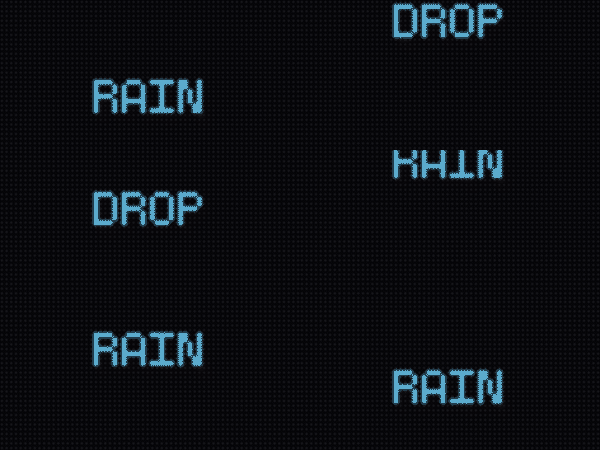 New content slides into place from an edge — default top, or set direction to "bottom"/"left"/"right". A slide-in sibling, not the cover→reveal contract (see the note below). |
Pixel Dissolve |
PixelDissolve |
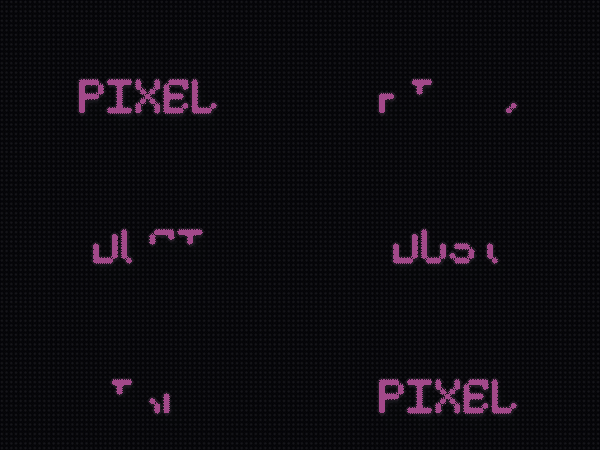 Text crumbles away as random 4×4 blocks cover the screen, then the new content dissolves back in block-by-block — like film grain burning through. Works naturally over moving text. |
Column Rain |
ColumnRain |
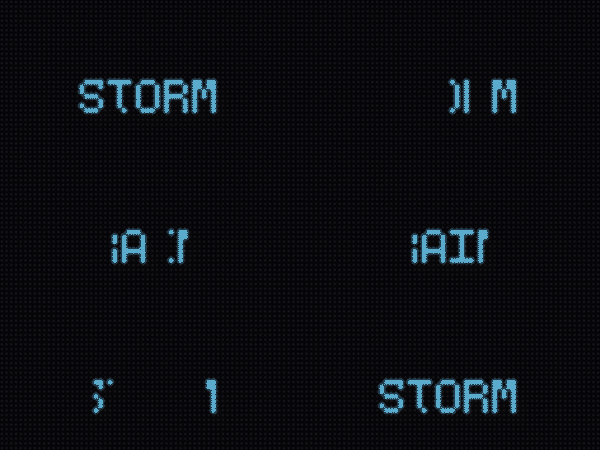 Sixteen thin 4 px drops fall from the top in shuffled order, so ~4 are mid-fall at any moment — reads as actual rainfall, not a directional wipe. |
Gradual Reveal |
GradualReveal |
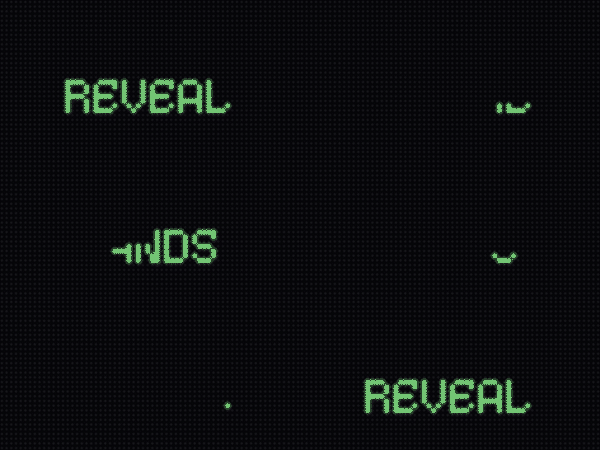 Staggered vertical bands (default 8) wipe in left-to-right, then peel back right-to-left. Clean and architectural — not rain. |
Scan Fold |
ScanFold |
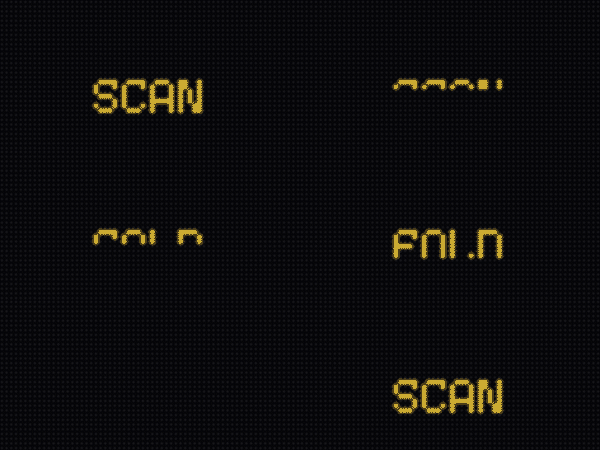 Top and bottom scanlines fold toward the horizontal centre until covered, then unfold outward. Two bars per frame — very fast; good on scrolling text. |
Horizontal Wipe |
HorizontalWipe |
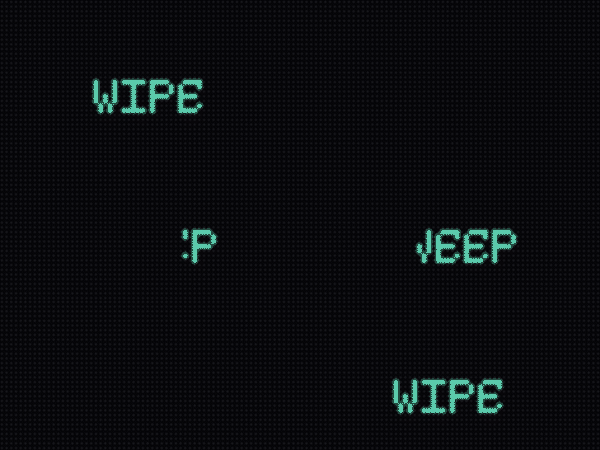 A crisp vertical edge sweeps left-to-right to cover, then back to reveal. One rect per frame; pairs well with fast-scrolling text. |
Glitch Bars |
GlitchBars |
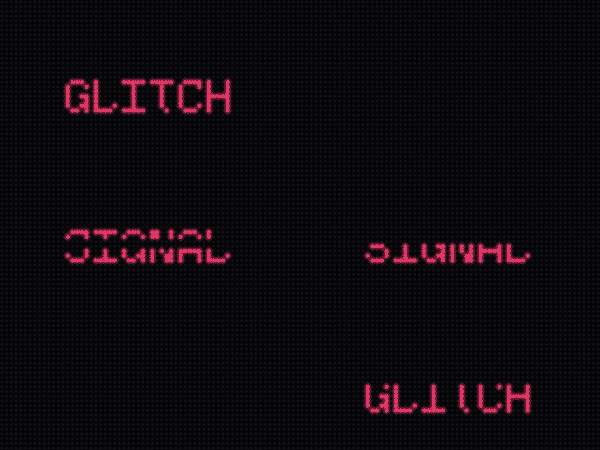 Random-height horizontal bars (1–4 rows) flash on in shuffled order — like a corrupted video signal — then clear in reverse. Looks alive over moving text. |
Diagonal Wipe |
DiagonalWipe |
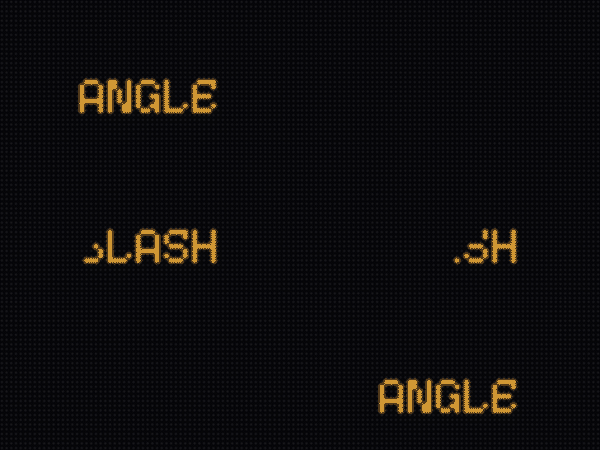 A diagonal boundary sweeps top-left → bottom-right to cover, then bottom-right → top-left to reveal. One delta span per row per frame. |
Iris Snap |
IrisSnap |
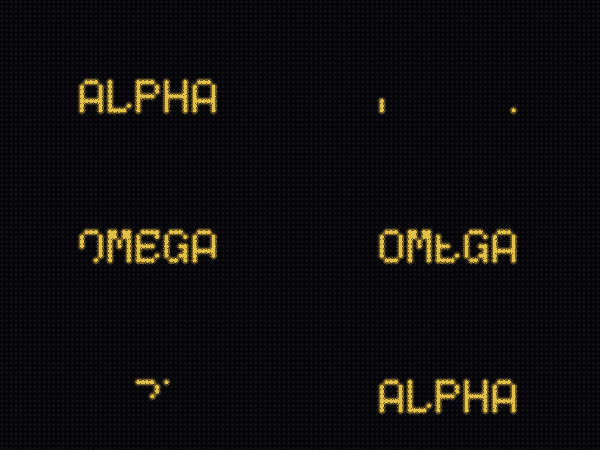 A chunky diamond aperture grows to hide the screen, then a diamond hole opens to reveal it (per-row span table). |
Venetian Shutters |
VenetianShutters |
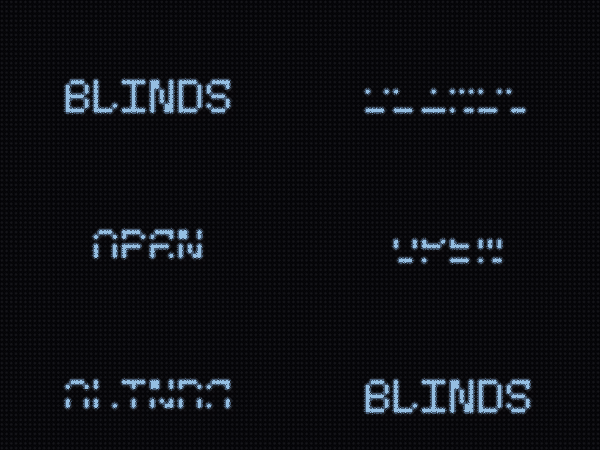 Coarse horizontal bands (default 8) close then open like blinds, slightly staggered. |
Mosaic Resolve |
MosaicResolve |
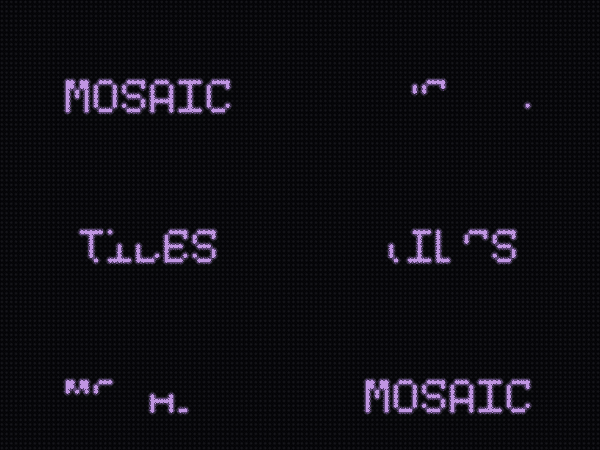 Blocks (default 8×4) cover then reveal in a fixed pseudo-random order — only the newly-changed blocks are written each frame. Deterministic given seed. |
CRT Collapse |
CRTCollapse |
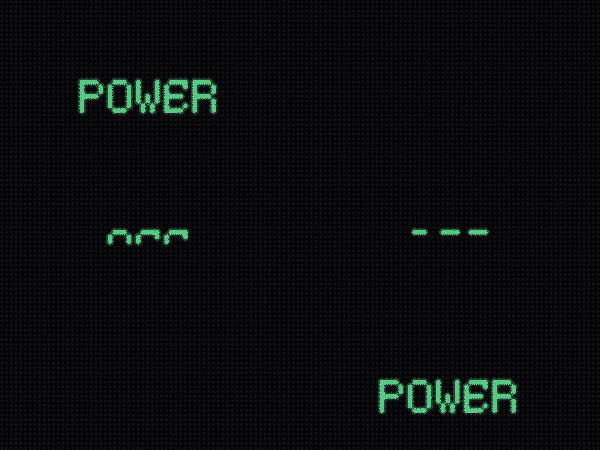 A CRT power-off: the picture collapses to a center scanline, then blooms back open from that line. |
Light Slit |
LightSlitRewrite |
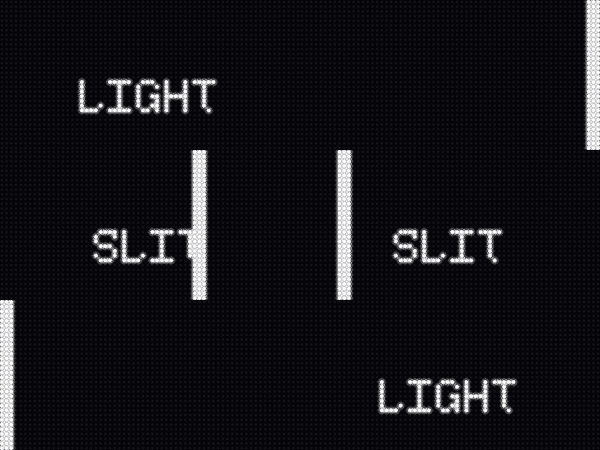 A bright vertical scanner (default 3 px) sweeps across, covering on the way out and revealing the new content on the way back. |
DropFromSky is a duck-typed sibling, not a Transition subclass
It slides the new content in from an edge via a pre_render_hook instead of
running the cover → swap → reveal mask lifecycle (there is nothing to hide — the
incoming Labels are simply positioned off-screen and animated to their natural
spot). It still exposes the same start / render / is_complete surface, so it
is interchangeable everywhere the others are, and it is enumerated as a normal
selectable transition. Pass direction="top" (default), "bottom", "left", or
"right" to choose the entry edge.
The Transition class family
The twelve cover→reveal transitions all subclass Transition, which owns the
lifecycle and a single preallocated OverlayMask (subclasses only implement the
two bounded _paint_* painters). DropFromSky is the odd one out: a duck-typed
sibling that exposes the same start / render / is_complete surface but
slides Labels in via pre_render_hook instead of covering the screen — which is
why enumeration goes through _TRANSITION_MAP, never Transition.__subclasses__().
classDiagram
    class Transition {
        <<abstract>>
        +start(display, swap_callback)
        +render(display, content)
        +is_complete
        #_paint_cover(progress)
        #_paint_reveal(progress)
        -_mask
        -curve
    }
    class OverlayMask {
        preallocated bitmap
        +fill_rect()
        +clear_rect()
    }
    class DropFromSky {
        +start()
        +render()
        +is_complete
        +pre_render_hook(content)
        +direction
    }
    Transition *-- OverlayMask
    Transition <|-- IrisSnap
    Transition <|-- VenetianShutters
    Transition <|-- MosaicResolve
    Transition <|-- CRTCollapse
    Transition <|-- LightSlitRewrite
    Transition <|-- PixelDissolve
    Transition <|-- ColumnRain
    Transition <|-- GradualReveal
    Transition <|-- ScanFold
    Transition <|-- HorizontalWipe
    Transition <|-- GlitchBars
    Transition <|-- DiagonalWipe
    DropFromSky ..> Transition : same protocol (not a subclass)
The user-facing names live in config.transition_names.TRANSITION_NAMES; the
name→class dispatch lives in _TRANSITION_MAP / transition_factory(). A unit
test keeps the two ordered lists in lockstep — see below.
Choosing a transition
A transition fires between screens, so it is a setting, not content you queue. Rather than hard-coding a class, ask the library which transitions exist and let the setting drive dispatch — new built-ins then appear automatically:
import random
from scrollkit.effects.transitions import transitions_for

# transitions_for() returns the user-facing NAMES (all transitions are full-screen
# swaps, so they all pair with "fullscreen"); pick one for the transition_style setting:
app.settings.set("transition_style", random.choice(transitions_for()))
transitions_for(presentation="fullscreen") reads the live PAIRS_WITH tags, so it
stays correct as transitions are added or retagged. The name → class dispatch is
transition_factory(name) (returns a fresh instance, or None for an unknown name);
transitions_for() / TRANSITION_NAMES and _TRANSITION_MAP are the single source of
truth, kept in lockstep by test_transition_registry.py. See
pairing effects to content for the companion
scrollers_for() / palette_effects_for() selectors.
Using a transition between content items
swap_callback is the sanctioned place to swap content — it fires while the mask
fully covers the screen, so a Label rebuilt there is invisible and its cost is
absorbed by the strict gate's median window:
def swap():
    self.label = next_message()   # rebuilds a Label, but it's hidden

await t.start(display, swap)
Hardware budget
Each class exposes a FEASIBILITY dict. A full-screen cover on the 64×32 panel is
2048 px done as one bulk fill_region (~0.6 ms), not a loop.
| Effect | max_pixel_writes_per_frame |
modeled_frame_ms |
|---|---|---|
IrisSnap |
2048 (bulk) | ~7 |
VenetianShutters |
2048 (bulk) | ~8 |
MosaicResolve |
~512 (a dozen blocks) | ~6 |
CRTCollapse |
2048 (bulk) | ~8 |
LightSlitRewrite |
2048 (bulk) | ~8 |
PixelDissolve |
~512 (block scatter) | ~6 |
ColumnRain |
~256 (a few 4 px drops) | ~4 |
GradualReveal |
~256 (a few bands) | ~4 |
ScanFold |
~256 (two bars) | ~4 |
HorizontalWipe |
~192 (one edge rect) | ~3 |
GlitchBars |
~256 (a few bars) | ~5 |
DiagonalWipe |
~384 (per-row delta spans) | ~6 |
DropFromSky |
0 (repositions Labels, no mask writes) | ~0.5 |
All are hardware_safe = True, allocates_per_frame = False, and stay well under
the ~50 ms (20 fps) bit_depth=4 device budget. DropFromSky writes no mask pixels
at all — it only nudges the incoming Labels' positions — so it is the cheapest of the
set.
See the Performance guide for the full cost model these budgets come from (the measured per-pixel and refresh costs, and why the 50 ms ceiling exists).
Adding your own transition
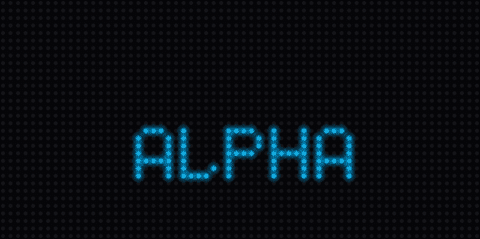
Subclass Transition and implement two methods — the base class runs the
cover → swap → reveal lifecycle for you. The full, heavily-annotated reference is
demos/medium/golden_transition.py (GoldenWipe); copy it.
The rules:
- Implement
_paint_cover(progress)and_paint_reveal(progress), whereprogressis an eased0..255through each phase. Paint intoself._mask(anOverlayMask) withfill_rect/clear_rect— bounded, bulk writes only. No per-pixel Python loop over the panel; no per-frame allocation. - Override
start(display, swap_callback)to capturedisplay.width/height, thenawait super().start(...). - Declare a
FEASIBILITYdict on the class (CircuitPython can't attach attributes to functions).
Then prove it — the safety gate is the headless feasibility harness, not a runtime sandbox:
from scrollkit.dev import run_headless
result = run_headless(my_app, frames=120, strict=True)
assert result.ok and not result.errors   # raises FeasibilityError if over budget
To make it a selectable built-in (offered in the transition_style setting):
- Add the class to
_TRANSITION_MAPinscrollkit/effects/transitions.py. - Add its user-facing name to
TRANSITION_NAMESinscrollkit/config/transition_names.py, in the same position.
These two lists are the single source of truth for transitions; a unit test
(test_transition_registry.py) fails if they drift, so a selectable name can never
silently fail to dispatch, and importing the settings never drags the effects
package onto the device boot path. To use a custom transition without making it
a built-in, override _get_transition() on your app to return an instance (see the
golden demo).