Palette-Animated Bitmap Text (Class 3)
scrollkit.display.bitmap_text is the headline differentiator — text that is
visibly not just displayio. A ScrollKit-native fixed-cell 5×7 font
(FONT_5x7, table-driven, no BDF parsing) is rendered once into an indexed
Bitmap whose lit pixels carry palette indices. The message scrolls by moving a
TileGrid, and the animation comes from rewriting a few palette entries each
frame — near-zero per-frame pixel work and no glyph rebuild.
Reads well static or scrolling
The palette effects (RainbowChase, MonoChase, NeonTubeCrawl, ChromeSheen,
HazardStripes) animate colour, not position, so they look good whether the
text is held static or scrolling (PAIRS_WITH = ("static", "scrolling")). See
pairing effects to content.
Want a static gradient in your normal font?
BitmapText is for animated colour in the 5×7 block font. For a fixed
gradient on ordinary StaticText / ScrollingText (your terminalio font) — a
subtle two-tone or "lit from above" depth — pass a palette instead. See
Gradient Text.
from scrollkit.display.bitmap_text import (
    BitmapText, RainbowChase, MonoChase, NeonTubeCrawl, ChromeSheen, HazardStripes,
)

text = BitmapText("SCROLLKIT  ", y=12, palette_effect=RainbowChase(period=3),
                  scroll_speed=20, max_width_px=320)
# each frame:
await text.render(display)
BitmapText is a DisplayContent: it builds its indexed bitmap on the first
render, adds a TileGrid layer via display.add_layer, and removes it on stop()
or detach(display).
Palette effects
A palette_effect rewrites a few palette[i] = color entries per frame to animate
the same rendered glyphs. They are plain strategy objects with an
apply(palette) method:
| Effect | Animation | Colour |
|---|---|---|
RainbowChase |
 Rotates a full-spectrum ramp so a rainbow travels through the letters. |
multi-hue (the rainbow) |
MonoChase |
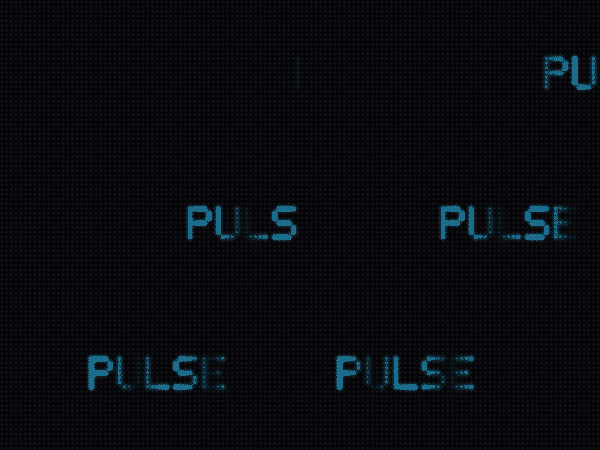 A single bright band of one colour chases through the letters — RainbowChase, but monochrome. |
color (default white) |
NeonTubeCrawl |
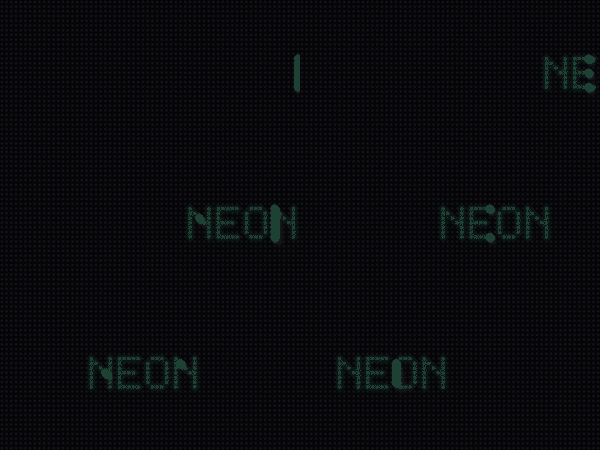 A bright pulse crawls along an otherwise-dim neon tube — one glowing slot moving. |
color (or set glow/base) |
ChromeSheen |
 A dark→bright ramp of one colour with a highlight band that sweeps across — a metallic sheen. |
color (default silver) |
HazardStripes |
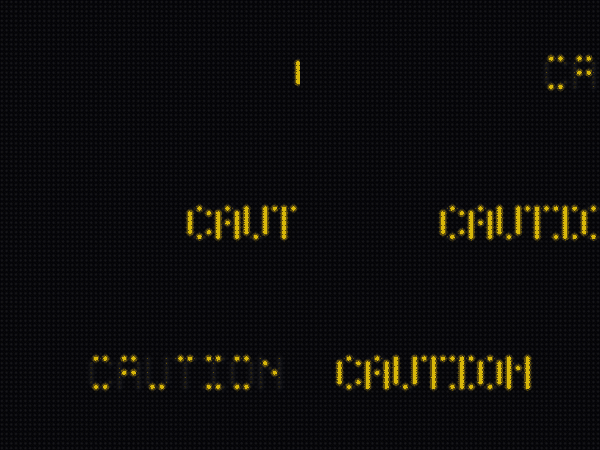 An accent colour alternating with a dark ground, marching one slot per step. |
color + dark (or set a/b) |
All except RainbowChase take a base color and derive their shades from it
(e.g. ChromeSheen(0x3060FF), MonoChase(0xFF4060)), computed once so there's no
per-frame cost. Each also takes a period (advance every N frames) for calmer or
faster motion. Write your own by providing an object with an apply(palette) method.
Font
FONT_5x7 covers the printable ASCII set: A–Z, 0–9, space, and common
punctuation (. , ! ? : ; - + / = ( ) < > % # @ & $ ' " _ * \). Lookups fold to
upper-case; unknown characters render blank. max_width_px bounds the rendered
bitmap (the whole message is rendered into one bitmap — Option A; a ring-buffer
viewport variant is deferred).
Using BitmapText in a ContentQueue
By default a BitmapText is a persistent banner: is_complete is always False,
so it scrolls forever and a ContentQueue never advances past it. Pass
complete_after_passes=N to make it complete after the text has fully scrolled across
N times, so the queue moves on:
queue.add(BitmapText("NOW SHOWING", palette_effect=RainbowChase(),
                     complete_after_passes=1))
Completion is keyed on scroll position, not wall-clock. That matters: if it were
time-based, a heavy concurrent effect that drops the frame rate would fire the timer
while the text was only half-scrolled and cut it off mid-word. Position-based
completion is frame-rate-independent. start() also rebuilds the layer, so a banner
that cycles back through the queue re-appears correctly (rather than going invisible
after its TileGrid was detached on stop()).
Hardware budget
BitmapText.FEASIBILITY advertises the cost:
| Value | |
|---|---|
hardware_safe |
True |
allocates_per_frame |
False |
max_pixel_writes_per_frame |
0 (palette rewrites + TileGrid move only) |
modeled_frame_ms |
~5 |
The glyph bitmap is built once; every subsequent frame is a handful of palette
writes plus a TileGrid.x change, so per-frame pixel work is zero. Strict-
feasible at the ~50 ms (20 fps) bit_depth=4 device budget.