Display
scrollkit.display is the heart of the library: the display abstraction, the
content types, and the content queue.
UnifiedDisplay
scrollkit.display.unified.UnifiedDisplay is the display an app uses. It
implements DisplayInterface and auto-selects its backend:
- CircuitPython → real
displayiohardware, auto-detecting the board (the Adafruit MatrixPortal S3). Passboard="..."to force one. See Adding New Hardware. - Desktop → the pygame simulator.
Your app talks to one interface — set_pixel, fill, draw_text, show,
clear, set_brightness — and never branches on platform.
(Recording, screenshot(), and the hardware_timing/throttle/strict
feasibility flags all live on UnifiedDisplay itself — documented no-ops
returning None on real hardware. The desktop-only SimulatorDisplay
subclasses UnifiedDisplay and only adds an auto-opened window plus
scale/pitch constructor knobs; it's for tests, demos, and the dev harness —
see Simulator. Ship apps against UnifiedDisplay.)
from scrollkit.display.unified import UnifiedDisplay

display = UnifiedDisplay()      # width == 64, height == 32
await display.initialize()
await display.fill((0, 0, 0))
await display.draw_text("Hi", 0, 12, (0, 255, 128))
await display.show()
Display class hierarchy
Both real displays share one contract (DisplayInterface) and one set of C
bulk-painter implementations (GraphicsMixin). There is no separate hardware
subclass — hardware is UnifiedDisplay running its CircuitPython branch, with
the Adafruit RGBMatrix/displayio objects held in UnifiedDisplay.matrix /
.display.
classDiagram
    class DisplayInterface {
        <<abstract>>
        +width
        +height
        +initialize()
        +clear()
        +show() bool
        +set_pixel()
        +fill()
        +draw_text()
        +fill_rect()
        +fill_span()
        +clear_rect()
        +add_layer()
        +remove_layer()
    }
    class GraphicsMixin {
        <<mixin>>
        +fill_rect()
        +fill_span()
        +clear_rect()
    }
    class UnifiedDisplay {
        auto-detects hardware vs simulator
        +matrix
        +display
        +draw_text()
        +screenshot()
        +save_gif()
        +save_video()
    }
    class SimulatorDisplay {
        desktop-only
        +scale
        +pitch
        (auto-opens window)
    }
    DisplayInterface <|-- UnifiedDisplay
    GraphicsMixin <|-- UnifiedDisplay
    UnifiedDisplay <|-- SimulatorDisplay
Backend selection
UnifiedDisplay chooses its backend from sys.implementation.name at import
time — a static platform check, not runtime probing. Board identity is resolved
separately: explicit board= argument → SCROLLKIT_HW_BOARD env var →
detect_board_id() → default adafruit_matrixportal_s3.
flowchart TB
    imp["UnifiedDisplay() init"] --> q{"sys.implementation.name<br/>== 'circuitpython'?"}
    q -->|yes| hw["import real displayio / terminalio<br/>_initialize_hardware()<br/>board_spec.make_matrix()"]
    q -->|no| sim["import scrollkit.simulator.*<br/>_sim_backend.create_sim_device()"]
    hw --> board{"resolve_board()"}
    board --> b1["MatrixPortal S3<br/>adafruit_matrixportal.Matrix"]
    board --> b2["Custom CircuitPython board<br/>board=..."]
    sim --> panel["pygame LED-matrix window<br/>(optional hardware-timing model)"]
Content types
scrollkit.display.content:
DisplayContent— base class. Tracksduration,priority,elapsed, and anis_completeproperty derived from elapsed time.StaticText(text, x, y, color, duration, priority)— fixed text.ScrollingText(text, y, color, speed, priority)— scrolls until it leaves the screen. Withspeed=0it holds the text centred forstatic_durationseconds instead (so a transition can still fire between repeats).
color accepts a 24-bit int (0xFF0000) or an (r, g, b) tuple. For gradient
fills pass a palette — see Gradient Text.

ScrollingText(...) — scrolling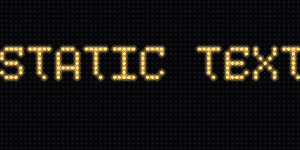
ScrollingText(..., speed=0) — centred staticContentQueue
scrollkit.display.content.ContentQueue is the queue ScrollKitApp.content_queue
uses. add(content) inserts by priority — higher Priority values play
before lower ones, and items of equal priority play in insertion order (a
monotonic add-sequence breaks ties, not sort stability). The display loop calls
await get_current() each frame, which shows the current item until
is_complete, then advances to the next highest-priority item and loops back
to the start when loop=True (the default; with loop=False the queue is
exhausted after the last item — get_current() returns None until add()
re-arms it). clear() empties it (and defers the abandoned item's async
stop() to the next frame, so any layer it added — e.g. a transition overlay —
gets detached cleanly).
from scrollkit.display.content import ContentQueue, StaticText, ScrollingText

queue = ContentQueue()
queue.add(StaticText("Hi!", x=20, y=12, duration=2))
queue.add(ScrollingText("Rotates after the static message", y=12))
Every DisplayContent carries a priority (scrollkit.display.content.Priority:
IDLE < LOW < NORMAL < HIGH < URGENT < SYSTEM, default NORMAL) that
ContentQueue uses directly to order playback, as described above.
Content class hierarchy
Everything you queue is a DisplayContent. StaticText and ScrollingText add a
gradient-fill mixin; the characterful scrollers (KineticMarquee, WaveRider,
SplitFlap, in effects.scrolling) and palette-animated
BitmapText are just more DisplayContent subclasses. The
ContentQueue holds a looping list of them.
classDiagram
    class DisplayContent {
        <<abstract>>
        +duration
        +priority
        +elapsed
        +is_complete
        +render(display)
    }
    class _GradientFillMixin {
        +palette
        +direction
        +palette_steps
    }
    class Priority {
        <<constants>>
        IDLE LOW NORMAL
        HIGH URGENT SYSTEM
    }
    class ContentQueue {
        +add(content)
        +get_current()
        +clear()
        -_advance_count
    }
    class StaticText
    class ScrollingText
    class BitmapText
    class KineticMarquee
    class WaveRider
    class SplitFlap

    DisplayContent <|-- StaticText
    DisplayContent <|-- ScrollingText
    DisplayContent <|-- BitmapText
    DisplayContent <|-- KineticMarquee
    DisplayContent <|-- WaveRider
    DisplayContent <|-- SplitFlap
    _GradientFillMixin <|-- StaticText
    _GradientFillMixin <|-- ScrollingText
    ContentQueue o-- "0..*" DisplayContent
    DisplayContent ..> Priority : tagged with